

Time to slow down
Make room for a quieter moment at the end of the day.




Health readings are for general wellness reference, not medical diagnosis or treatment.
App: G BandCompatibility & care
Choose a watch for each of you. Two individual watches, one easy add.

$100.00 USD
Available

$100.00 USD
Available
Combined item price. Final total shown at checkout.
View cart →ET491
Make room for a quieter moment at the end of the day.

Take a short pause between the busy parts of your day.

Choose a workout and keep your activity in view.

Bring everyday activity into focus.
Scene 1 of 4
ET491

Make room for a quieter moment at the end of the day.

Take a short pause between the busy parts of your day.

Choose a workout and keep your activity in view.

Bring everyday activity into focus.
Scene 1 of 4
ET491

Make room for a quieter moment at the end of the day.

Take a short pause between the busy parts of your day.

Choose a workout and keep your activity in view.

Bring everyday activity into focus.
Scene 1 of 4
ET491

Make room for a quieter moment at the end of the day.

Take a short pause between the busy parts of your day.

Choose a workout and keep your activity in view.

Bring everyday activity into focus.
Scene 1 of 4
ET491

Make room for a quieter moment at the end of the day.

Take a short pause between the busy parts of your day.

Choose a workout and keep your activity in view.

Bring everyday activity into focus.
Scene 1 of 4
ET491

Make room for a quieter moment at the end of the day.

Take a short pause between the busy parts of your day.

Choose a workout and keep your activity in view.

Bring everyday activity into focus.
Scene 1 of 4
DESIGN
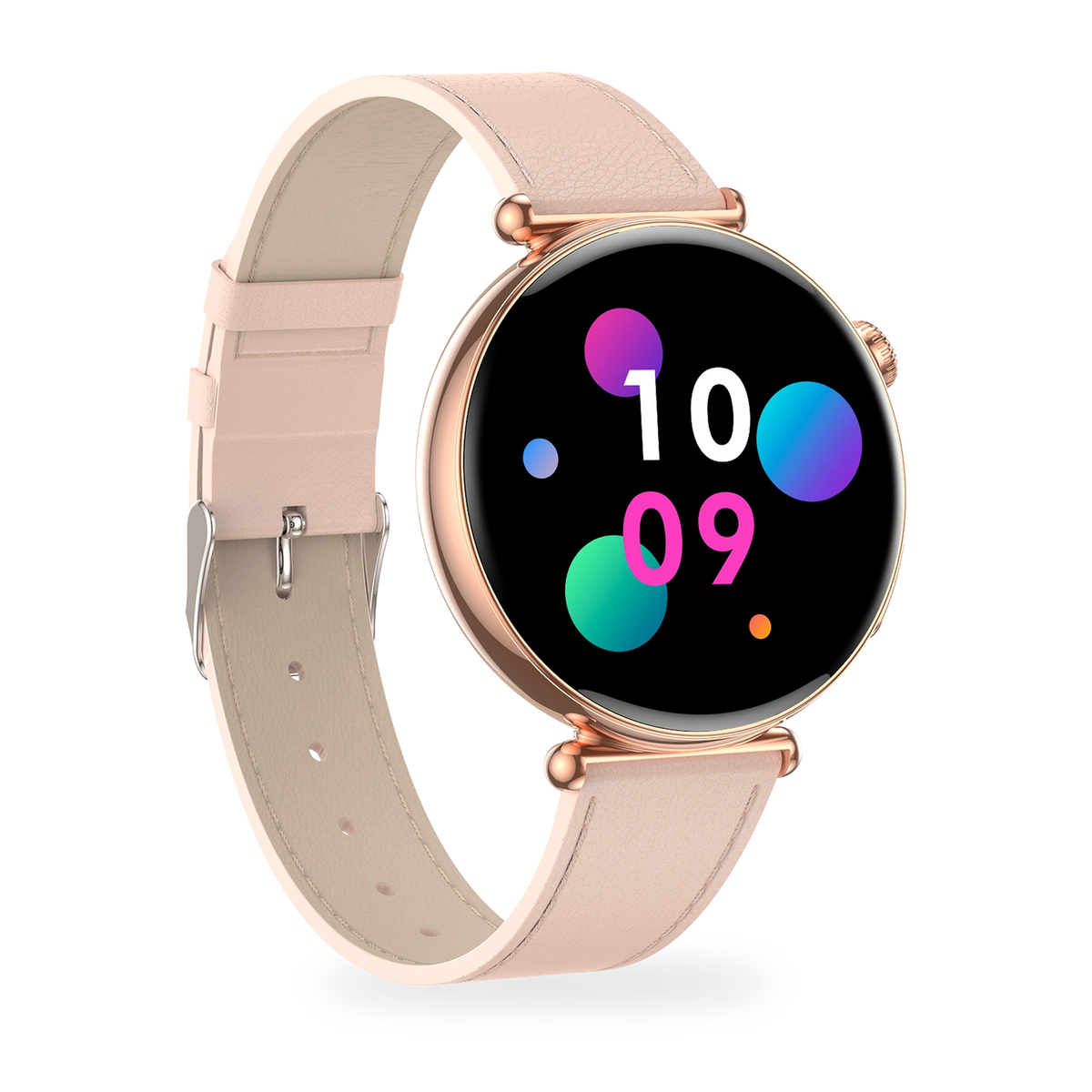
A rounded case and side crown give ET491 its familiar, easy-to-wear form.

DESIGN
A rounded case and side crown give ET491 its familiar, easy-to-wear form.

DESIGN
A rounded case and side crown give ET491 its familiar, easy-to-wear form.

DESIGN
A rounded case and side crown give ET491 its familiar, easy-to-wear form.

DESIGN
A rounded case and side crown give ET491 its familiar, easy-to-wear form.

DESIGN
A rounded case and side crown give ET491 its familiar, easy-to-wear form.

UP CLOSE
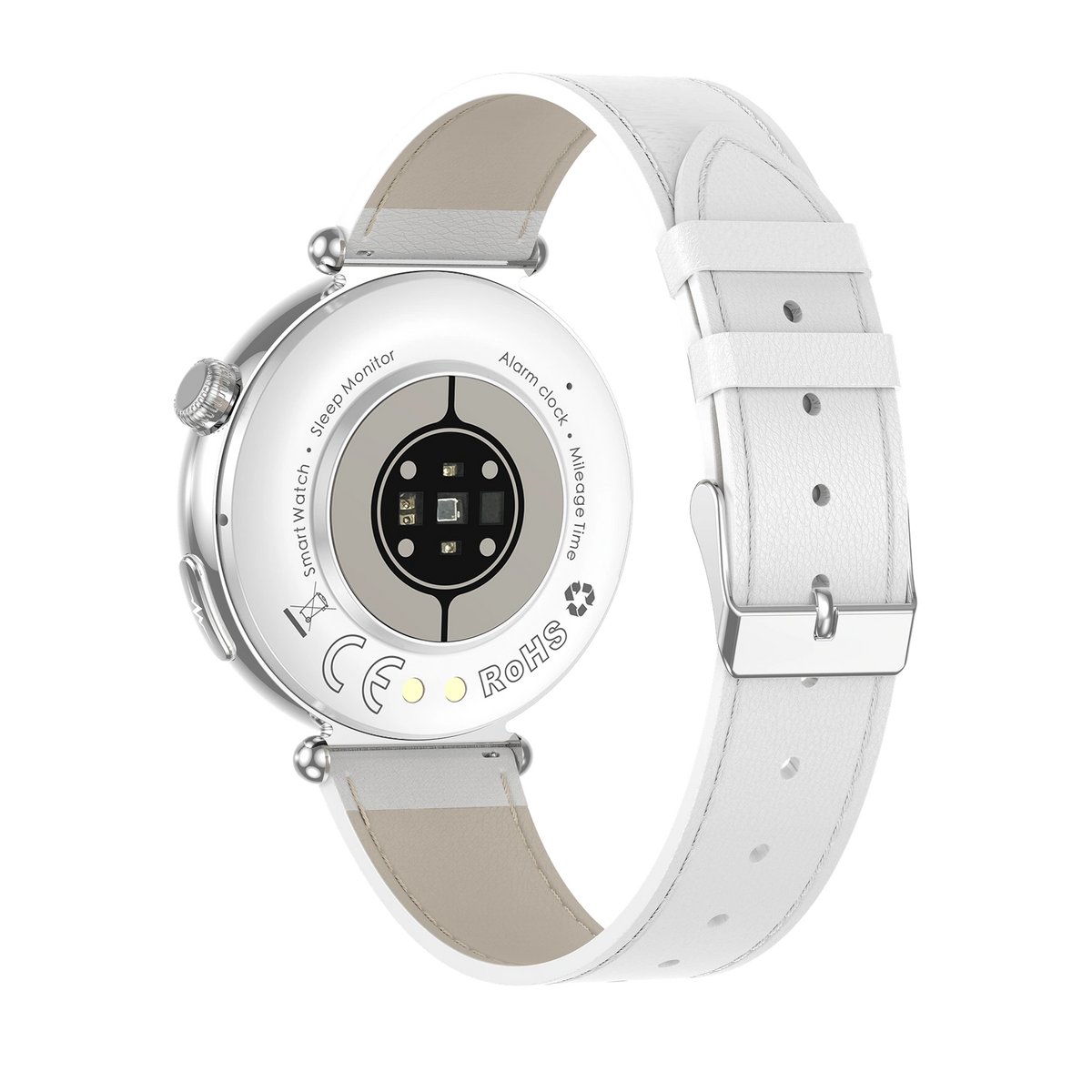
The rear sensor window, side crown and selected band finish, shown in detail.
UP CLOSE
The rear sensor window, side crown and selected band finish, shown in detail.
UP CLOSE
The rear sensor window, side crown and selected band finish, shown in detail.
UP CLOSE
The rear sensor window, side crown and selected band finish, shown in detail.
UP CLOSE
The rear sensor window, side crown and selected band finish, shown in detail.
UP CLOSE
The rear sensor window, side crown and selected band finish, shown in detail.
YOUR STYLE
Choose your case and band finish.


Silver case with white leather-style band.
Currently unavailable
Choose this styleAMOLED DISPLAY
The 1.32-inch AMOLED display brings time and everyday information into focus.

1.32-inch AMOLED
HEART RATE
Open heart rate on ET491 for a check-in. Review your records in the connected G Band app. The wave is decorative; readings are for reference, not diagnosis or treatment.

ON-DEMAND ECG
Start an ECG recording on the watch with its rear contact against your wrist and a finger on the side electrode. Review the record in the connected G Band app. For reference only; not for diagnosis.

On demand
EVERYDAY ACTIVITY
Keep steps, distance and estimated calories in view, and choose a workout mode for your next session. Device-screen values are illustrative examples.

AMOLED DISPLAY
The 1.32-inch AMOLED display brings time and everyday information into focus.

1.32-inch AMOLED
HEART RATE
Open heart rate on ET491 for a check-in. Review your records in the connected G Band app. The wave is decorative; readings are for reference, not diagnosis or treatment.

ON-DEMAND ECG
Start an ECG recording on the watch with its rear contact against your wrist and a finger on the side electrode. Review the record in the connected G Band app. For reference only; not for diagnosis.

On demand
EVERYDAY ACTIVITY
Keep steps, distance and estimated calories in view, and choose a workout mode for your next session. Device-screen values are illustrative examples.

AMOLED DISPLAY
The 1.32-inch AMOLED display brings time and everyday information into focus.

1.32-inch AMOLED
HEART RATE
Open heart rate on ET491 for a check-in. Review your records in the connected G Band app. The wave is decorative; readings are for reference, not diagnosis or treatment.

ON-DEMAND ECG
Start an ECG recording on the watch with its rear contact against your wrist and a finger on the side electrode. Review the record in the connected G Band app. For reference only; not for diagnosis.

On demand
EVERYDAY ACTIVITY
Keep steps, distance and estimated calories in view, and choose a workout mode for your next session. Device-screen values are illustrative examples.

AMOLED DISPLAY
The 1.32-inch AMOLED display brings time and everyday information into focus.

1.32-inch AMOLED
HEART RATE
Open heart rate on ET491 for a check-in. Review your records in the connected G Band app. The wave is decorative; readings are for reference, not diagnosis or treatment.

ON-DEMAND ECG
Start an ECG recording on the watch with its rear contact against your wrist and a finger on the side electrode. Review the record in the connected G Band app. For reference only; not for diagnosis.

On demand
EVERYDAY ACTIVITY
Keep steps, distance and estimated calories in view, and choose a workout mode for your next session. Device-screen values are illustrative examples.

AMOLED DISPLAY
The 1.32-inch AMOLED display brings time and everyday information into focus.

1.32-inch AMOLED
HEART RATE
Open heart rate on ET491 for a check-in. Review your records in the connected G Band app. The wave is decorative; readings are for reference, not diagnosis or treatment.

ON-DEMAND ECG
Start an ECG recording on the watch with its rear contact against your wrist and a finger on the side electrode. Review the record in the connected G Band app. For reference only; not for diagnosis.

On demand
EVERYDAY ACTIVITY
Keep steps, distance and estimated calories in view, and choose a workout mode for your next session. Device-screen values are illustrative examples.

AMOLED DISPLAY
The 1.32-inch AMOLED display brings time and everyday information into focus.

1.32-inch AMOLED
HEART RATE
Open heart rate on ET491 for a check-in. Review your records in the connected G Band app. The wave is decorative; readings are for reference, not diagnosis or treatment.

ON-DEMAND ECG
Start an ECG recording on the watch with its rear contact against your wrist and a finger on the side electrode. Review the record in the connected G Band app. For reference only; not for diagnosis.

On demand
EVERYDAY ACTIVITY
Keep steps, distance and estimated calories in view, and choose a workout mode for your next session. Device-screen values are illustrative examples.


Start a recording on the watch, then review the record in the connected G Band app. For reference only, not diagnosis.
Illustrative device screens. Values shown are examples.
View steps, distance and estimated activity data on your watch.
Illustrative device screens. Values shown are examples.
Switch between available watch faces to match your style.
Illustrative device screens. Values shown are examples.


Start a recording on the watch, then review the record in the connected G Band app. For reference only, not diagnosis.
Illustrative device screens. Values shown are examples.
View steps, distance and estimated activity data on your watch.
Illustrative device screens. Values shown are examples.
Switch between available watch faces to match your style.
Illustrative device screens. Values shown are examples.


Start a recording on the watch, then review the record in the connected G Band app. For reference only, not diagnosis.
Illustrative device screens. Values shown are examples.
View steps, distance and estimated activity data on your watch.
Illustrative device screens. Values shown are examples.
Switch between available watch faces to match your style.
Illustrative device screens. Values shown are examples.


Start a recording on the watch, then review the record in the connected G Band app. For reference only, not diagnosis.
Illustrative device screens. Values shown are examples.
View steps, distance and estimated activity data on your watch.
Illustrative device screens. Values shown are examples.
Switch between available watch faces to match your style.
Illustrative device screens. Values shown are examples.


Start a recording on the watch, then review the record in the connected G Band app. For reference only, not diagnosis.
Illustrative device screens. Values shown are examples.
View steps, distance and estimated activity data on your watch.
Illustrative device screens. Values shown are examples.
Switch between available watch faces to match your style.
Illustrative device screens. Values shown are examples.


Start a recording on the watch, then review the record in the connected G Band app. For reference only, not diagnosis.
Illustrative device screens. Values shown are examples.
View steps, distance and estimated activity data on your watch.
Illustrative device screens. Values shown are examples.
Switch between available watch faces to match your style.
Illustrative device screens. Values shown are examples.
DAILY CHARGING
Align the magnetic charging cable with the contacts on the back of ET491, then connect the USB end to a power source.

PHONE CONNECTION
Pair ET491 in G Band to sync the time and review your watch records.
G Band
Android 8.0+ · iOS 13.0+
Use the app identified in your ET491 manual.
Turn on Bluetooth and select your watch in G Band.
Follow the manual’s additional Bluetooth audio-pairing instructions for wrist calling.
DAILY CHARGING
Align the magnetic charging cable with the contacts on the back of ET491, then connect the USB end to a power source.

PHONE CONNECTION
Pair ET491 in G Band to sync the time and review your watch records.
G Band
Android 8.0+ · iOS 13.0+
Use the app identified in your ET491 manual.
Turn on Bluetooth and select your watch in G Band.
Follow the manual’s additional Bluetooth audio-pairing instructions for wrist calling.
DAILY CHARGING
Align the magnetic charging cable with the contacts on the back of ET491, then connect the USB end to a power source.
PHONE CONNECTION
Pair ET491 in G Band to sync the time and review your watch records.
G Band
Android 8.0+ · iOS 13.0+
Use the app identified in your ET491 manual.
Turn on Bluetooth and select your watch in G Band.
Follow the manual’s additional Bluetooth audio-pairing instructions for wrist calling.
DAILY CHARGING
Align the magnetic charging cable with the contacts on the back of ET491, then connect the USB end to a power source.

PHONE CONNECTION
Pair ET491 in G Band to sync the time and review your watch records.
G Band
Android 8.0+ · iOS 13.0+
Use the app identified in your ET491 manual.
Turn on Bluetooth and select your watch in G Band.
Follow the manual’s additional Bluetooth audio-pairing instructions for wrist calling.
DAILY CHARGING
Align the magnetic charging cable with the contacts on the back of ET491, then connect the USB end to a power source.

PHONE CONNECTION
Pair ET491 in G Band to sync the time and review your watch records.
G Band
Android 8.0+ · iOS 13.0+
Use the app identified in your ET491 manual.
Turn on Bluetooth and select your watch in G Band.
Follow the manual’s additional Bluetooth audio-pairing instructions for wrist calling.
DAILY CHARGING
Align the magnetic charging cable with the contacts on the back of ET491, then connect the USB end to a power source.

PHONE CONNECTION
Pair ET491 in G Band to sync the time and review your watch records.
G Band
Android 8.0+ · iOS 13.0+
Use the app identified in your ET491 manual.
Turn on Bluetooth and select your watch in G Band.
Follow the manual’s additional Bluetooth audio-pairing instructions for wrist calling.
Classic round design. Steps and everyday activity tracking.
Application et connexion
Connectez ET491 à G Band sur votre téléphone pour synchroniser l’heure et consulter vos données. Les appels Bluetooth nécessitent la connexion au téléphone.
Compatibilité du téléphone
Les informations produit fournies indiquent Android 8.0 ou version ultérieure et iOS 13.0 ou version ultérieure. Avant de commander, vérifiez que la version actuelle de G Band prend en charge votre téléphone.
Charge et batterie
Batterie de 250 mAh avec charge magnétique. Autonomie estimée par le fabricant : 4 à 7 jours d’utilisation. L’autonomie réelle varie selon l’usage et les réglages.
Eau et entretien
IP68 selon les spécifications du produit. Retirez la montre avant de nager, de vous doucher ou de prendre un bain. Séchez la montre et ses contacts avant la charge.
Fonctions de bien-être
Lancez un enregistrement ECG en maintenant le contact avec les électrodes latérale et arrière comme indiqué dans la notice, puis consultez-le dans G Band. Les mesures de santé fournissent des informations générales de bien-être. Elles ne sont pas destinées au diagnostic, au traitement ou à la prévention de maladies.
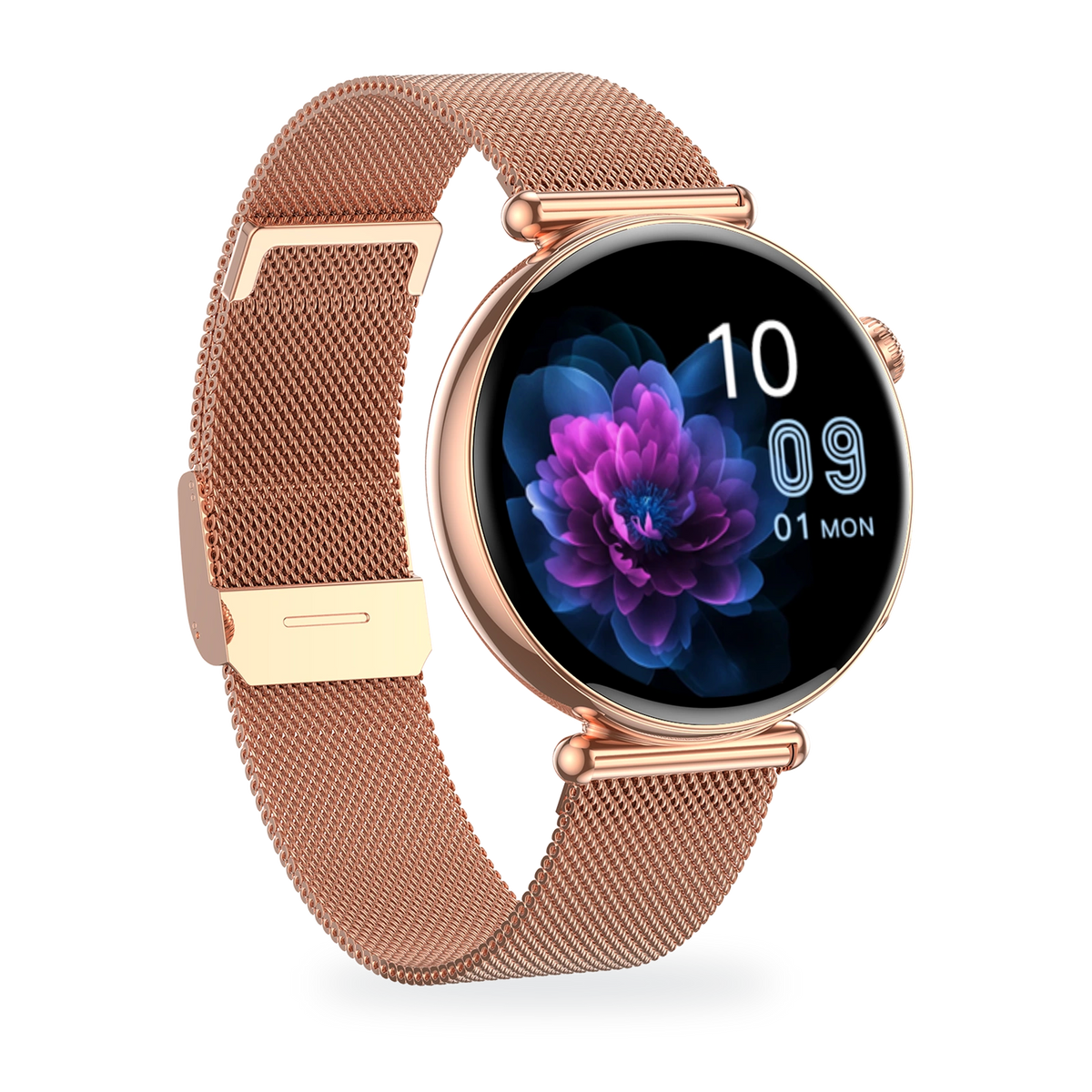
Meet the MARSYU ET491: an elegant round smartwatch with a vivid 1.32-inch AMOLED display, ECG recording and Bluetooth calling. Choose a silver or rose-gold case with a mesh, leather-style or silicone band, and keep everyday health and activity close at hand.


Everyday health. Elegantly worn.
1.32-inch AMOLED · ECG recording · Bluetooth calling
Everyday health. Elegantly worn.
1.32-inch AMOLED · ECG recording · Bluetooth calling
Everyday health. Elegantly worn.
1.32-inch AMOLED · ECG recording · Bluetooth calling

Everyday health. Elegantly worn.
1.32-inch AMOLED · ECG recording · Bluetooth calling

Everyday health. Elegantly worn.
1.32-inch AMOLED · ECG recording · Bluetooth calling

Everyday health. Elegantly worn.
1.32-inch AMOLED · ECG recording · Bluetooth calling
$100.00 USD


